GPS location spoofer
Fake GPS Location is a free utility app by developer Lexa and is a GPS location spoofer for mobile devices. With it, users can set random or predefined coordinates anywhere in the world for use with various applications and services online. It's easy to set up and can even be automated.
Top Recommended Alternative
Much like the Fake GPS or Location Changer - Fake GPS apps, Fake GPS Location makes it easy to spoof locations with just a few taps. Everything is wrapped inside a clean and simple user interface that even beginners will have no problem using.
Any location around the world
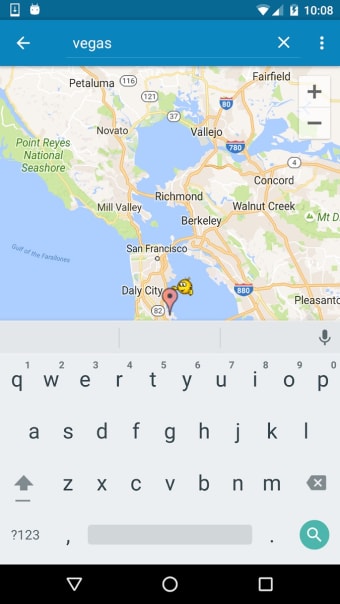
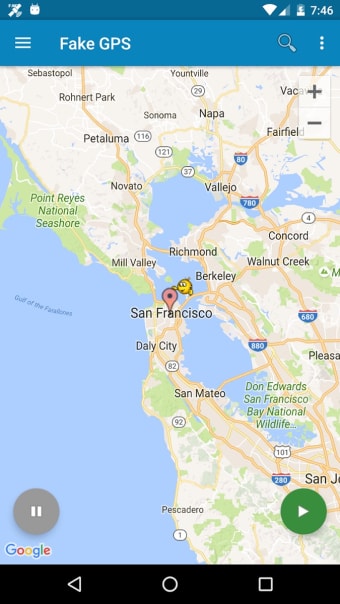
There are two ways to use Fake GPS Location, with the first one being to have the app randomly select a location for you by tapping on the green circular play button at the bottom-right corner of the interface. The second is to set a specific place by using the search bar at the top and choosing from the list of results that will appear.
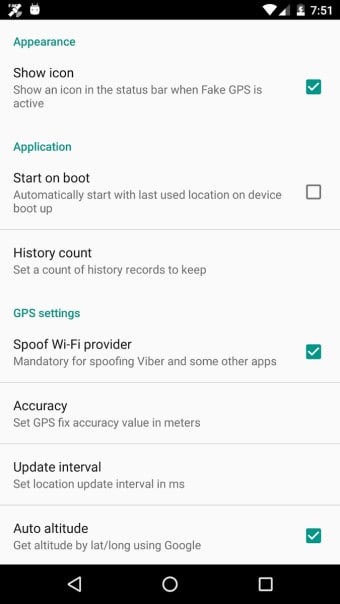
To stop using this spoofer, tap on the round pause button on the bottom-left of the screen, and your GPS will recalibrate to reflect your real location. Jump into the settings menu, and you can have the service run upon starting and keep a history of previously set locations for reference in case you need to use them again in the future.
Other options include spoofing your internet service provider (ISP), setting location update intervals, and improving the accuracy of your GPS readings through calibration methods. As alluded to earlier, you can even automate the process with the help of apps like Tasker. There is a known bug that breaks GPS functionality, though. The developer details a workaround for it on the official app page online.
Important information about mock GPS usage
Some important information you should know before using or uninstalling this app. After using Fake GPS Location, some users may notice that their device’s location remains locked to the last mocked position even after uninstalling the app. This behavior is not a bug and does not indicate a damaged GPS sensor—it occurs because the system is still retaining the mock location.
To resolve this, you can either install a GPS-fixing app such as GPS Status and obtain a fresh satellite fix (which may require multiple attempts with time intervals), or reinstall FakeGPS, reset it to your real location, and leave it running for several hours. Combining both methods can help, and in most cases, the issue resolves itself within one or two days with a bit of patience.
A bit mixed
To summarize, Fake GPS Location does what it's supposed to, and it does it relatively well. It's straightforward to use and offers some nice extra options like ISP spoofing, as well. That said, the aforementioned bug will give some users pause, despite a workaround. Now, if you don't mind that, it's still worth checking out. Just know there are other options out there.



.png)